Outspace Pane - Filter Pane
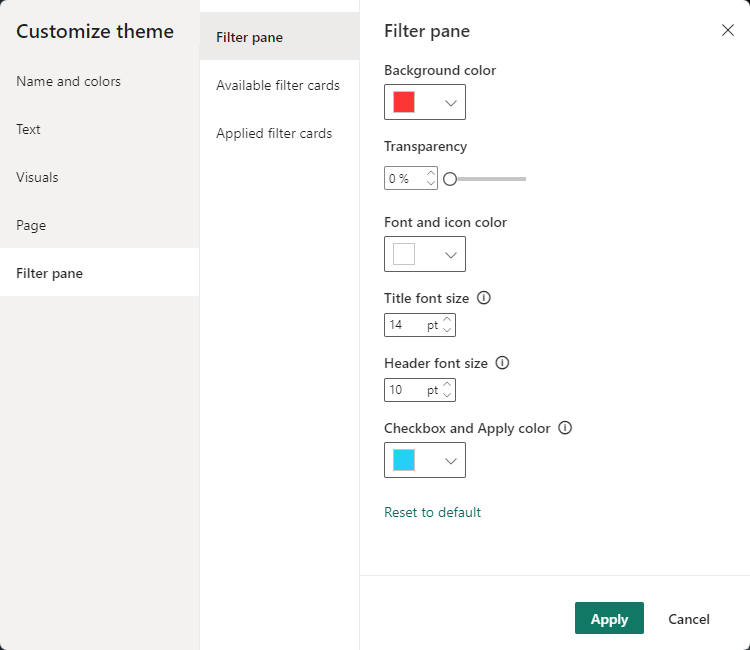
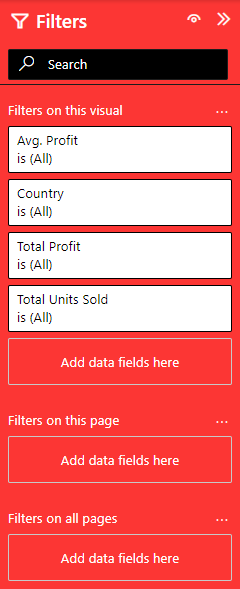
The ‘“outspacePane”’ property under "visualStyles" can be defined for the whole report and formats the Filter Pane. It includes settings for
- background color
- foreground color
- checkbox and apply color
- transparency
- title size
- header size
- font family
- border visibility and color
- width
- search text size
Syntax
{
    "name": "LeanProductivity",
    "visualStyles": {
        "*": {
            "*": {
                "outspacePane": [{
                    "backgroundColor": { "solid": { "color": "#1C1C1C" } },
                    "foregroundColor": { "solid": { "color": "#FFFFFF" } },
                    "checkboxAndApplyColor": { "solid": { "color": "#25D0F7" } },
                    "transparency": 0,
                    "titleSize": 14,
                    "headerSize": 10,
                    "fontFamily": "Segoe UI",
                    "border": true,
                    "width":240,
                    "borderColor": { "solid": { "color": "#1C1C1C" } },
                    "searchTextSize": 10, "inputBoxColor": { "solid": { "color": "#000000"  } }
                }]
            }
        }
    }
}
Effect
Settings