In a Nutshell
Useful / Download
I looked for the best Obsidian plugins to increase my productivity. When writing this, well over 1000 community plugins are available for Obsidian – and many of them are really, really good.
To make it on this list, a plugin had to meet one or more of these criteria:
- help me execute an activity faster,
- save me time by automating things,
- add missing functionality that is relevant to me,
- make the interaction with Obsidian easier.
TOP 10 OBSIDIAN PLUGINS - INFOGRAPHIC
Image
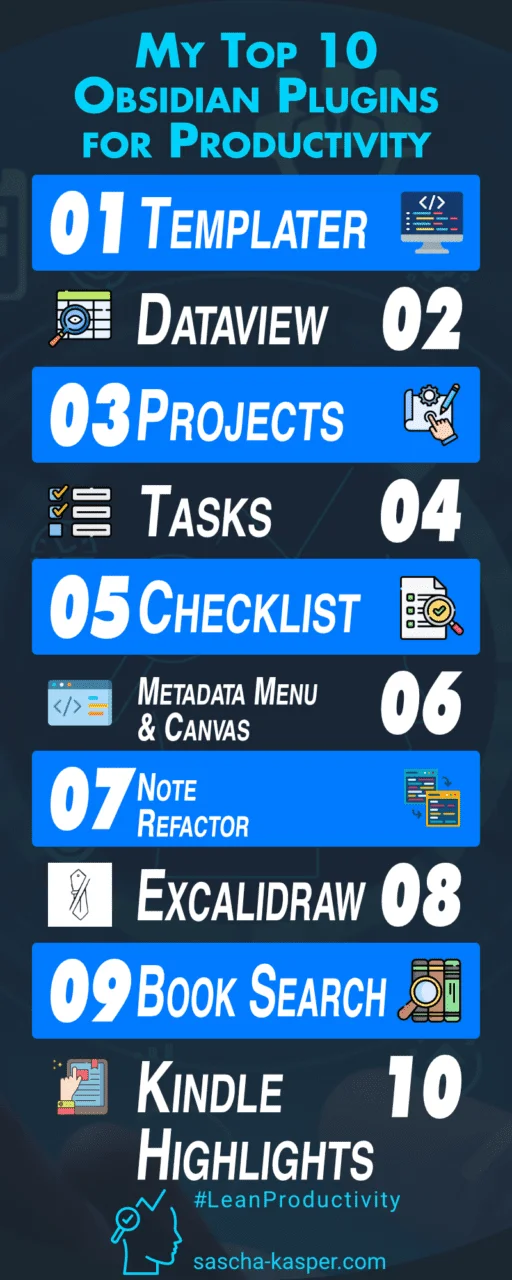
1 – Templater
Automate note creation and make your notes more consistent.
2 – Dataview
Create dynamic views of items in your vault. From simple lists and tables to calendar and task views.
3 – Projects
Create and manage projects in Obsidian, including a Kanban view for moving items from one phase or state to another.
4 – Tasks
Get additional options for adding tasks, such as start/due/end date, priority, etc.
5 – Checklist
Show a consolidated – and managed – list of open items anywhere in your vault in the Obsidian side pane.
6 – Metadata Menu (+Canvas)
Change your notes’ frontmatter attributes quickly and easily by moving them around on an Obsidian Canvas.
7 – Note Refactor
Easily split long notes into new ones with custom templates and automatic linking between notes.
8 – Excalidraw
Add whiteboard functionality to Obsidian.
9 – Book Search
Add book notes and automatically import information about a book (title, author, cover, genre, etc.).
10 – Kindle Highlights
Sync your highlights as notest into Obsidian based on your own template definition.
Image Credits
The icons used in the video, this post, and the tier list come from flaticon.com. Here are the detailed attributions:
- Count icons created by Freepik – Flaticon
- Settings icons created by Freepik – Flaticon
- Ui icons created by pictranoosa – Flaticon
- Tracker icons created by Eucalyp – Flaticon
- Languages icons created by Freepik – Flaticon
- Text edit icons created by Flat Icons – Flaticon
- Command line icons created by Freepik – Flaticon
- Monitoring icons created by Eucalyp – Flaticon
- Time and date icons created by Moudesain – Flaticon
- Calendar icons created by Freepik – Flaticon
- Number icons created by Freepik – Flaticon
- Table content icons created by Freepik – Flaticon
- Time and date icons created by Freepik – Flaticon
- To do list icons created by Freepik – Flaticon
- Recent icons created by Enamo Studios – Flaticon
- Webpage icons created by YnJStudio – Flaticon
- Database icons created by Uniconlabs – Flaticon
- Frequency icons created by Paul J. – Flaticon
- Kindle icons created by Flat Icons – Flaticon
- Book icons created by Freepik – Flaticon
- Refactoring icons created by Flat Icons – Flaticon
- Planning icons created by Freepik – Flaticon
- Project icons created by Dewi Sari – Flaticon
- Information icons created by Freepik – FlaticonSeo and web icons created by Freepik – Flaticon
- Coding icons created by juicy_fish – Flaticon
- Canvas icons created by Freepik – Flaticon
- Code icons created by Freepik – Flaticon
Disclosure: Some of the links in this article may be affiliate links, which can provide compensation to me at no cost to you. These are products I have used and stand behind.