Create Your Account
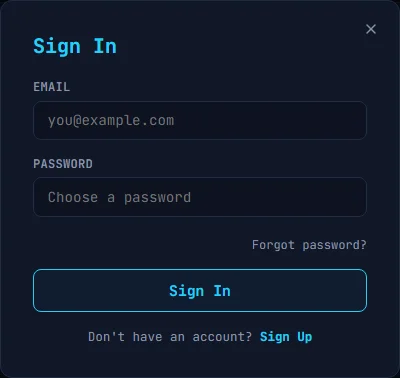
- Go to https://kspr.me/los
- Click
Sign Upand enter your name, email, and password - Your password must meet all five rules:
- At least 8 characters
- At least one uppercase letter
- At least one lowercase letter
- At least one digit
- At least one special character
- Confirm your email by clicking the link in the confirmation message
- Sign in with your credentials
The User Interface
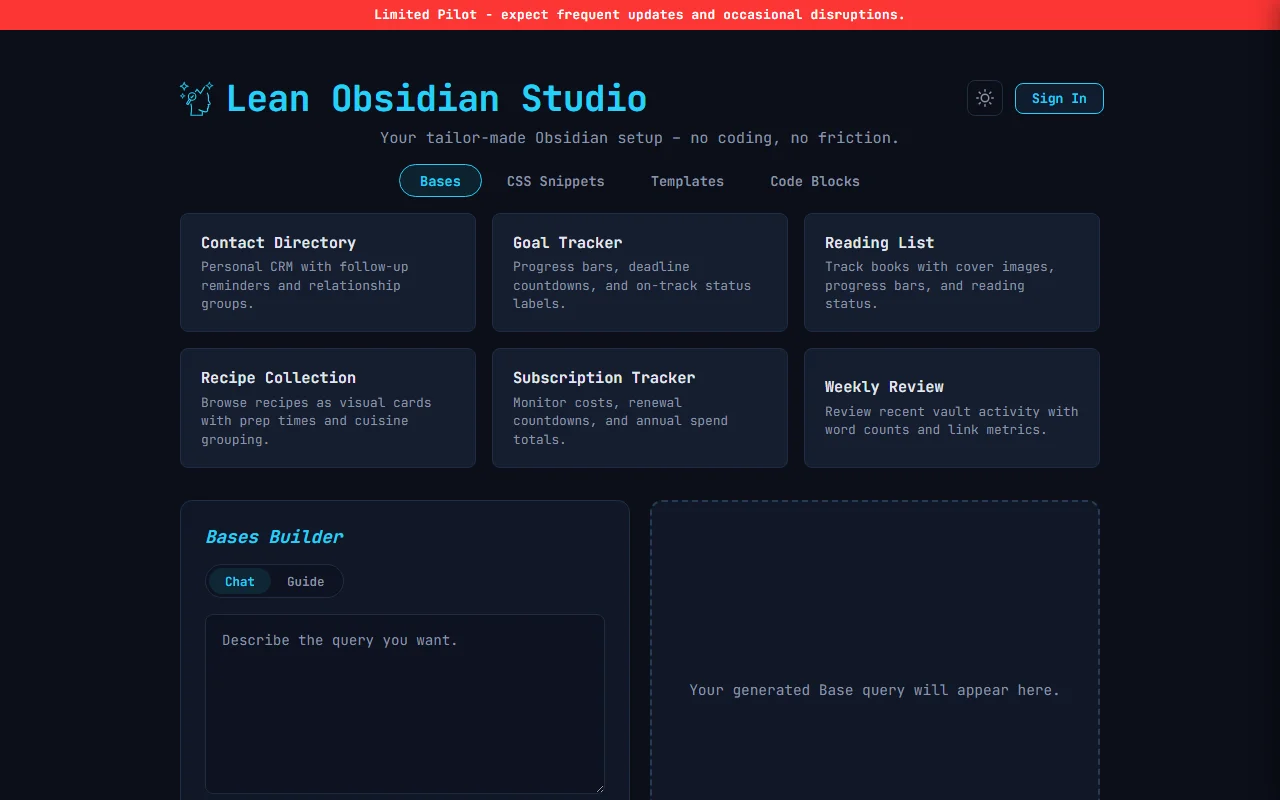
After signing in you see the main interface with three module tabs at the top: Bases, CSS Snippets, and Templates. Your tier badge and consumed daily generations show in the top-right corner.
Quick Walkthrough
- Click the Bases tab
- Click the Reading List starter card
- The output appears instantly with a validation badge, copy button, and download button
- Copy the output or download the
.basefile - Follow LOS - Installing Generated Files to add it to your vault
Next Steps
- LOS - Bases Module - generate
.basefiles for Obsidian’s Bases plugin - LOS - CSS Snippets Module - generate
.csssnippets for custom styling - LOS - Templates Module - generate
.mdtemplate files for Core Templates or Templater - LOS - Installing Generated Files - how to put generated files into your vault
- LOS - Subscription Tiers - Explorer, Pro, and Power tier comparison
- LOS - Account Menu - manage your subscription, password, and account
- LOS - Feedback - send bug reports, feature requests, or suggestions